Free Tablet Benefit: How to Qualify for a Free Government Tablet in 2026
Independent 2026 guide for low-income US households. Check who may qualify for a free tablet through Lifeline, EBT, SNAP, or Medicaid, see required documents, and apply the safe way. Tablet availability varies and is not guaranteed.
Can you still get a free government tablet in 2026?
- Lifeline can help lower the cost of phone or internet service for eligible households, but it is a service discount, not a guaranteed device program.
- EBT, SNAP, and Medicaid are common ways to prove you qualify for Lifeline.
- Tablet availability varies a lot by provider, ZIP code, and current inventory.
- You will usually need proof of identity, proof of address, and proof of income or benefit participation.
- Be careful of fake application sites that copy the look of government pages.
- Lifeline follows a one benefit per household rule, not one per person.
- ACP ended in 2024, so do not trust pages that still promise an ACP free tablet in 2026.
Important 2026 update
ACP ended on June 1, 2024. Some older websites still mention ACP tablets, ACP free iPads, or ACP enrollment. Those pages are out of date. Always check current Lifeline and provider availability before submitting personal information like your Social Security number, date of birth, or photo ID.
Why the rules changed in 2024 and what is left in 2026
For a few years, the Affordable Connectivity Program (ACP) was the main reason people searched for a free government tablet. ACP gave eligible households a monthly discount on internet service and a one time discount on a connected device, including some tablets. Many providers used that device discount to offer a low-cost or no-cost tablet at sign up.
ACP stopped accepting new applications in early 2024 and the benefit fully ended on June 1, 2024 when Congress did not approve more funding. That ended the federal tablet discount tied to ACP. Many pages that ranked in Google for free government tablet still describe ACP as if it were live. In 2026, those pages are wrong.
The good news is that Lifeline is still active. Lifeline is run by the Federal Communications Commission (FCC) and administered by the Universal Service Administrative Company (USAC). Eligibility is checked through the National Verifier, the same system that ACP used. Lifeline gives a monthly discount on phone or internet service for qualifying low-income households. It does not include a federal tablet discount, but some providers may still bundle a discounted or free tablet into their Lifeline plans on their own.
On top of Lifeline, there are nonprofit groups, libraries, refurbished device programs, school district digital access programs, and state level digital equity programs that may help an eligible household get a tablet. These are not federal benefit programs. They are local or private programs, and what they offer changes often.
Eligibility overview at a glance
The table below shows the most common ways a US household may prove it qualifies for help in 2026. The right column is a realistic note about tablets, not a promise.
| Eligibility route | Who it may help | Proof usually needed | Tablet availability note |
|---|---|---|---|
| SNAP / EBT | Households receiving food assistance | Award letter or EBT card with your name | May qualify through a Lifeline provider, tablet not guaranteed |
| Medicaid | Adults and children enrolled in Medicaid | Medicaid card or recent benefit letter | Common Lifeline qualifier, tablet depends on provider |
| SSI | People receiving Supplemental Security Income | SSA benefit letter | Strong qualifier for Lifeline, device offer varies |
| Federal Public Housing Assistance | Tenants in qualifying federal housing | Lease or housing benefit letter | Eligible for Lifeline, device depends on provider promo |
| Veterans Pension or Survivors Benefit | Veterans and survivors receiving these benefits | VA benefit letter | Lifeline qualifier, tablet rarely included by default |
| Income at or below 135% Federal Poverty Guidelines | Low-income households without a listed program | Tax return, pay stubs, or Social Security statement | Income proof path for Lifeline, tablet offers vary |
| Qualifying Tribal programs | Households on qualifying Tribal lands | Tribal benefit documentation | Enhanced Lifeline support, tablet still provider dependent |
| Nonprofit or refurbished device help | Anyone in financial need, including students and seniors | Income or need based application, varies by program | Often refurbished, supply is limited and local |
One benefit per household applies to Lifeline. That means one Lifeline discount per household, not one per person. Read our Lifeline guide for details.
How the free tablet process usually works
Most people follow the same five steps, even though the exact provider screens look different. Going in order keeps things simple and helps you spot fake sites.
- 1Check eligibility
Confirm you receive a qualifying benefit like SNAP, Medicaid, or SSI, or that your household income is at or below 135 percent of the Federal Poverty Guidelines.
- 2Gather documents
Pull together a photo ID, proof of address, and either a benefit letter or income documents like a tax return or pay stubs.
- 3Verify eligibility
Apply through the National Verifier at LifelineSupport.org or through a Lifeline provider that submits your information for you.
- 4Compare providers
Look at which Lifeline providers serve your ZIP code and check if any of them include a tablet, a discounted tablet, or a device copay.
- 5Submit and track
Submit your provider application, keep your confirmation number, and check your status. If a tablet is included, ask when it ships.
Tip: never pay an upfront fee to a third party to apply. Lifeline applications are free, and any reputable provider will say so.
Walk through the apply steps with confidence
Our free apply guide explains each step in plain language, including which sites are safe to use and which documents to scan in advance.
Free tablet with EBT
EBT, which stands for Electronic Benefit Transfer, is the card you use if your household is enrolled in SNAP. SNAP is one of the qualifying programs for Lifeline. That means an EBT card with your name on it is often enough to prove your Lifeline eligibility, alongside a photo ID and proof of address.
EBT alone does not give you a tablet. It opens the door to Lifeline service, and a participating Lifeline provider in your ZIP code may then offer a discounted or free tablet as part of their plan. Tablet availability depends on the provider, your state, and what they have in stock that month.
If your EBT card was issued under a state program that is not SNAP, like state cash assistance, that program may not count for Lifeline. Always check the program name on your award letter.
Free Tablet with EBT: Check Eligibility & Apply Steps
See exactly how an EBT or SNAP award letter is used to prove Lifeline eligibility, and what providers may offer a tablet alongside service.
Free tablet with Medicaid
Medicaid is one of the most common ways US households prove Lifeline eligibility. If you or anyone in your household is currently enrolled in Medicaid, you can usually use a Medicaid card or a recent benefit letter as your proof.
You will still need to verify your identity and your address. Most providers ask for a government photo ID, plus a recent piece of mail or a lease at your current address. Some applications also ask for the last four digits of your Social Security number.
A Medicaid based Lifeline application does not automatically include a tablet. Whether a tablet is offered depends on the provider you choose and on their current inventory. If one provider does not include a tablet in your area, another may.
Free Tablet with Medicaid: Apply Now Guide
Walk through how Medicaid is used as proof, what else you need to submit, and how to compare provider tablet offers.
Lifeline free tablet
Lifeline is a federal program run by the Federal Communications Commission and administered by the Universal Service Administrative Company, or USAC. Eligibility is checked through the National Verifier at LifelineSupport.org. Lifeline is active in 2026.
Lifeline lowers the monthly cost of qualifying phone or internet service for eligible low-income households. Some Lifeline providers advertise device offers to attract new customers, including discounted or no-cost tablets. Tablet availability is not part of the Lifeline benefit itself and is not guaranteed.
Lifeline follows a one benefit per household rule. That means one Lifeline discount per economic unit, not one per person. Two adults sharing income and bills typically count as one household.
Free government phone and tablet combo
A lot of people search for both a free phone and a free tablet on the same Lifeline plan. In real life, that combination is uncommon. Lifeline is one benefit per household, so two separate Lifeline lines for the same address are not allowed.
Some providers may run their own promotions that pair a phone plan with a tablet, but those offers come from the provider, not from the federal program. They can change at any time. Treat any page that promises unlimited free benefits with skepticism.
Provider options to look at carefully
The providers below are commonly mentioned in low-income tablet searches. Their offers and tablet availability change often and vary by ZIP code. Always confirm with the provider before sharing personal information.
| Provider or route | What to check | Best for | Important warning |
|---|---|---|---|
| AirTalk Wireless | Coverage in your ZIP, current Lifeline plan terms, any device copay | Customers comparing multiple Lifeline brands | Tablet availability and pricing change often |
| Q Link Wireless | Plan inclusions, customer support, current promotions | People who want a long established Lifeline brand | Device offers are not promised and can vary |
| TAG Mobile | States served, plan minutes and data, device options | Customers in states where TAG operates | Not available in every state |
| Assurance Wireless | Plan tiers, data caps, device support | Existing Assurance customers reviewing options | Tablet inclusion is not guaranteed in every market |
| TruConnect | Plan terms, current device copay, network coverage | Customers wanting a tablet capable plan | Some plans charge a device copay rather than free |
| Whoop Connect | Service area, eligibility check, device terms | Customers in supported regions | Newer provider, confirm details directly |
| Nonprofit refurbished device programs | Application rules, income limits, device condition | Households outside Lifeline or in low inventory areas | Supply is limited and may have a waitlist |
| Local libraries or digital inclusion programs | Loan periods, eligibility, available device types | Students, seniors, and short term needs | Often a loan, not a permanent device |
Documents you may need to apply
Having clean copies ready before you start the application saves a lot of back and forth. Scans or clear phone photos are usually fine.
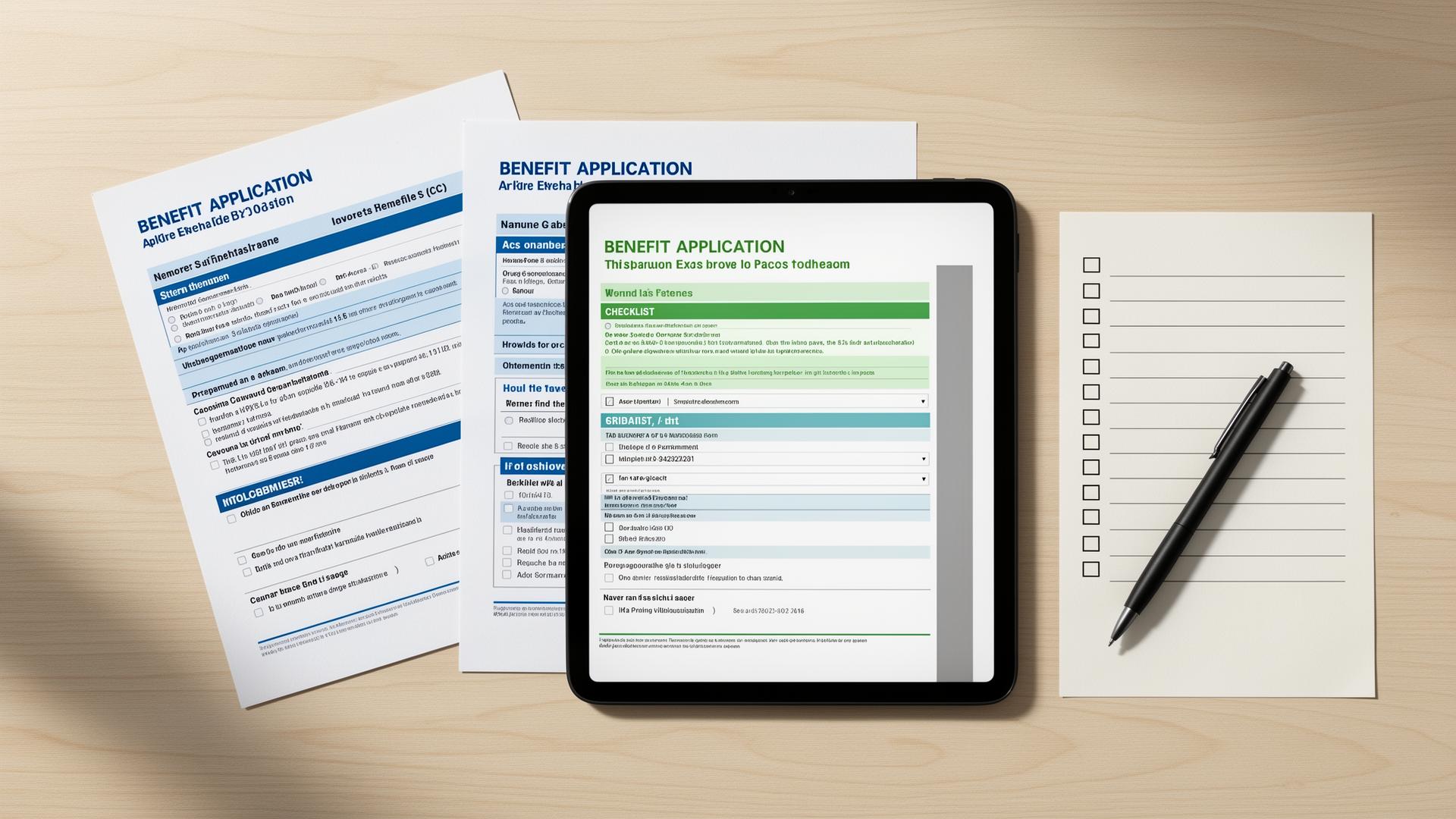
- Government issued photo ID, such as a driver license, state ID, passport, or military ID
- Proof of address, such as a recent utility bill, lease, or mortgage statement
- SNAP or EBT benefit award letter, or a clear photo of the EBT card with your name
- Medicaid card or a recent Medicaid benefit letter
- SSI award letter from the Social Security Administration
- Federal Public Housing Assistance documentation if applying that way
- Income proof if applying by income, such as a tax return, three pay stubs, or a Social Security statement
- Last four digits of your Social Security number, or a Tribal ID if applicable
- Household worksheet if your provider asks for one to confirm one benefit per household
Common mistakes to avoid
Pages that still promise an ACP free tablet in 2026 are out of date. Look for current Lifeline language instead.
The name and address on your application must match your photo ID and benefit letter. Small typos can delay approval.
Most providers want documents dated within the last 12 months for benefit letters, and a current photo ID.
Lifeline is one benefit per household. A second application from the same home is usually denied.
Tablet availability depends on the provider, the state, and current inventory. Two ZIP codes can see very different offers.
Never send your SSN or photo ID to a site you found through an ad without checking that the provider is real and Lifeline approved.
Most offers feature entry level Android tablets, often refurbished. iPads are rarely included.
Device types you may see
Most low-income tablet offers fall into a few categories. Knowing what to expect helps you skip pages that overpromise.
Basic 8 inch screens, modest storage, and Wi-Fi or cellular options. Common in Lifeline provider offers.
Used tablets that have been tested and reset. Common in nonprofit and digital inclusion programs.
An entry level Android tablet sometimes mentioned by Lifeline providers as a possible included device.
Another entry level Android tablet that appears in some low-income tablet offers.
Lineups change often. Providers may swap in different brands based on what they can source.
Rare and never guaranteed. Pages that promise a free iPad through a government program should be treated with caution.
Alternatives if no tablet is available
If no provider in your area includes a tablet right now, you still have options. These programs are not federal benefits, but they help millions of US households every year.
Groups like local digital equity nonprofits accept used devices, refurbish them, and pass them on to households that apply.
Many school districts loan tablets or laptops to students. Public libraries often have devices to use on site or to borrow.
City and state digital inclusion offices may run device giveaways, hotspot loans, or training programs.
Retailers and refurbishers often sell entry level tablets for less than 100 dollars. Pair one with a cheap data plan.
Some home internet providers throw in a tablet or a streaming device for new customers on certain plans.
Faith based groups, senior centers, and veteran support groups sometimes coordinate device donations.
Why you can trust this free tablet guide
Free Tablet Benefit is an independent informational guide. We do not approve applications, ship devices, or collect application data. Here is how we keep this guide useful and honest for 2026.
Free Tablet Benefit is not a government agency, not the FCC, not USAC, not a Lifeline provider, and not a device distributor.
We separate current Lifeline information from outdated ACP information so readers are not misled by old promises.
We focus on eligibility, documents, provider availability, common mistakes, and safe apply steps.
We use official FCC, USAC, and LifelineSupport resources where possible and link them on this page.
Frequently asked questions
Honest answers to the most common questions about free tablet benefit options in 2026.
How Free Tablet Benefit reviews information
- We separate active Lifeline information from expired ACP information on every page.
- We avoid approval promises and never promise a free iPad or specific device.
- We explain provider availability limits so you know what is realistic in your area.
- We link users toward official verification, like the National Verifier, where possible.
- We update pages when rules change or when provider offers shift.
- We label advertising clearly and keep ad slots away from CTAs and form fields.
Sources and verification
We check active program information against official sources before writing or updating pages. ACP information is verified against FCC guidance. Lifeline eligibility and document guidance are checked against USAC and LifelineSupport.org.
Related guides
What people mean by a free government tablet in 2026 and how Lifeline fits in.
How EBT status may support Lifeline eligibility and a tablet offer.
How Medicaid may be used as proof for a tablet related Lifeline offer.
How the active Lifeline program works in 2026.
Step by step apply guide for low-income tablet help.
Honest answers to common questions about 2026 tablet programs.